Cyberpunk mods for PC, PS5 and Xbox
Find Cyberpunk 2077 mods for PC, PS5 and Xbox. Browse console listings, check documented PC patch support, and troubleshoot a modded game that stopped launching.
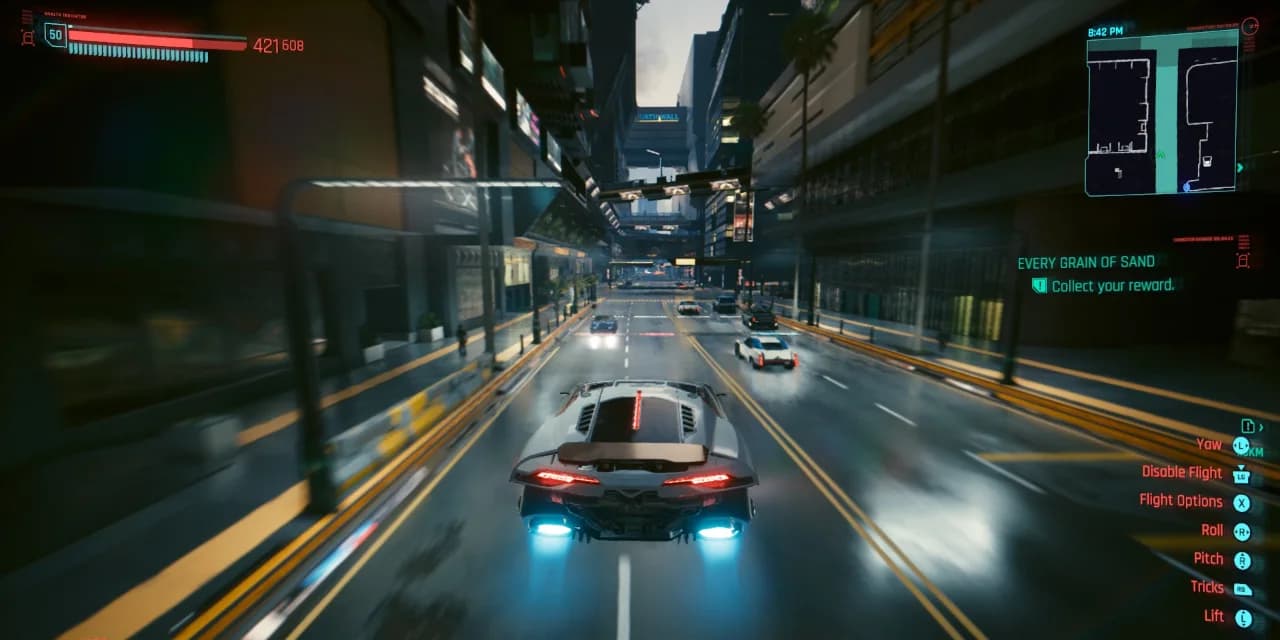
What is CyberpunkMods?
A guide to community-made changes for Cyberpunk 2077, from outfits and vehicles to gameplay systems. Find the author’s release, understand its requirements and plan your install.
Find the right mod
Browse by what you want to change and the platform you play on. Each entry explains its purpose and links to the author’s downloads.
Explore the directory →Understand the requirements
See what each framework does and check tracked mods together to find missing prerequisites before you install.
Open the dependency checker →Know what to do next
Follow practical installation and activation checks, with guides for your first setup and for recovering from a problem.
Read the guides →
Choose your platform
Cyberpunk PC mods
Frameworks, graphics, gameplay and outfit mods installed from the author’s release. Each listing shows what it requires and where its files go.
Browse PC modsCyberpunk PS5 & Xbox mods
Choose a platform release in the in-game Mods menu. Install, enable it and follow the author’s activation check; some mods need a visit to H10.
Read the console guideCyberpunk multiplayer mod
CyberMP is a community multiplayer project. Its launcher is open to testers only, so check access before you plan a session.
See multiplayer access
From first pick to first launch
Follow Equipment-EX through the directory, dependency checker and installation page. Use the same process for your own choices.
Start with the change you want
Filter by category and platform, then compare what each mod actually does. This example starts with outfits: Equipment-EX manages clothing combinations, while the other entries solve different appearance needs.
Explore clothing mods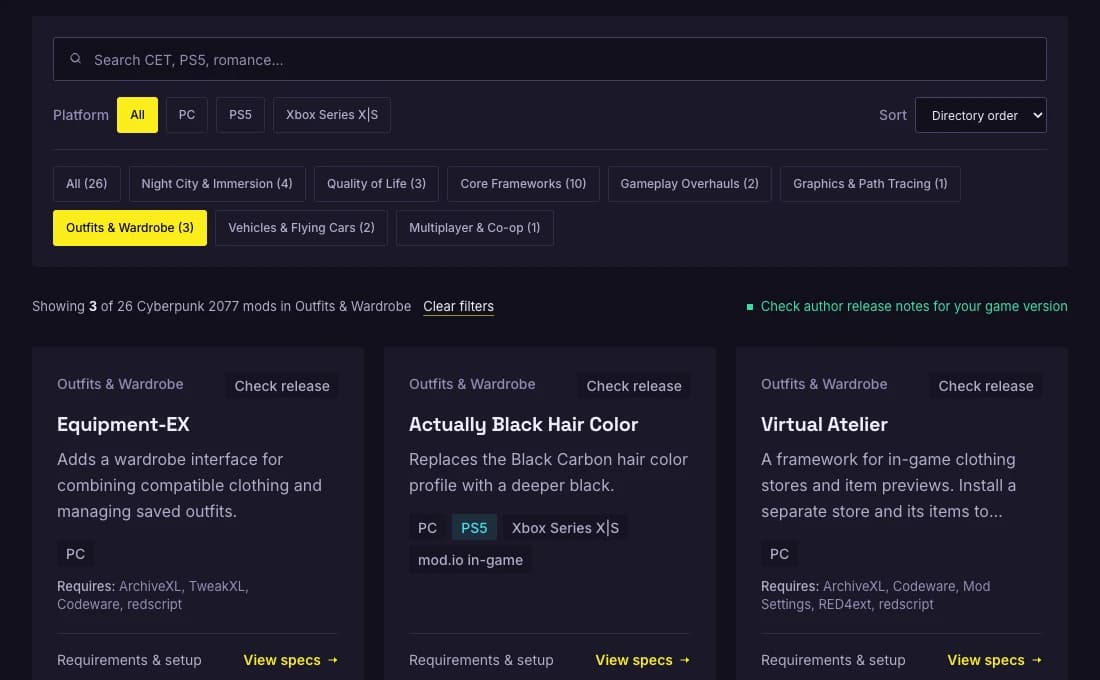
See what your setup needs
Equipment-EX lists ArchiveXL, TweakXL, Codeware, redscript. Open it in the checker to see the missing prerequisites, add them and check their own requirements before downloading.
Check Equipment-EX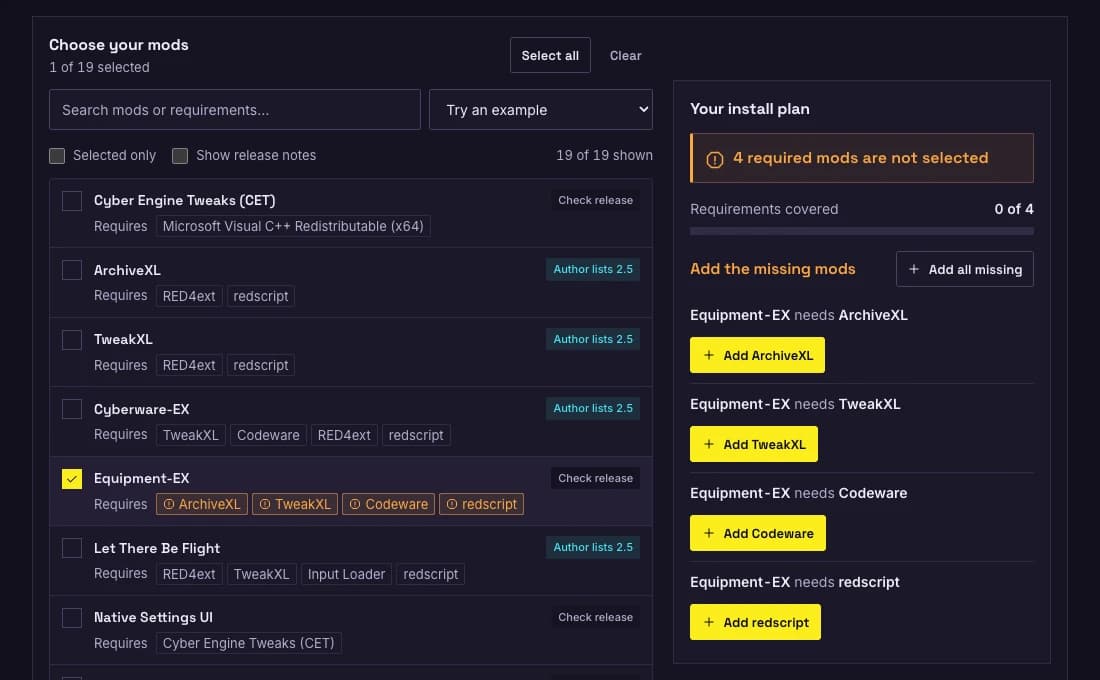
Test the result in your game
Follow the author’s release instructions and add one change at a time. For Equipment-EX, the practical check is to open the Wardrobe interface and save a test outfit before adding another mod.
Read the Equipment-EX setup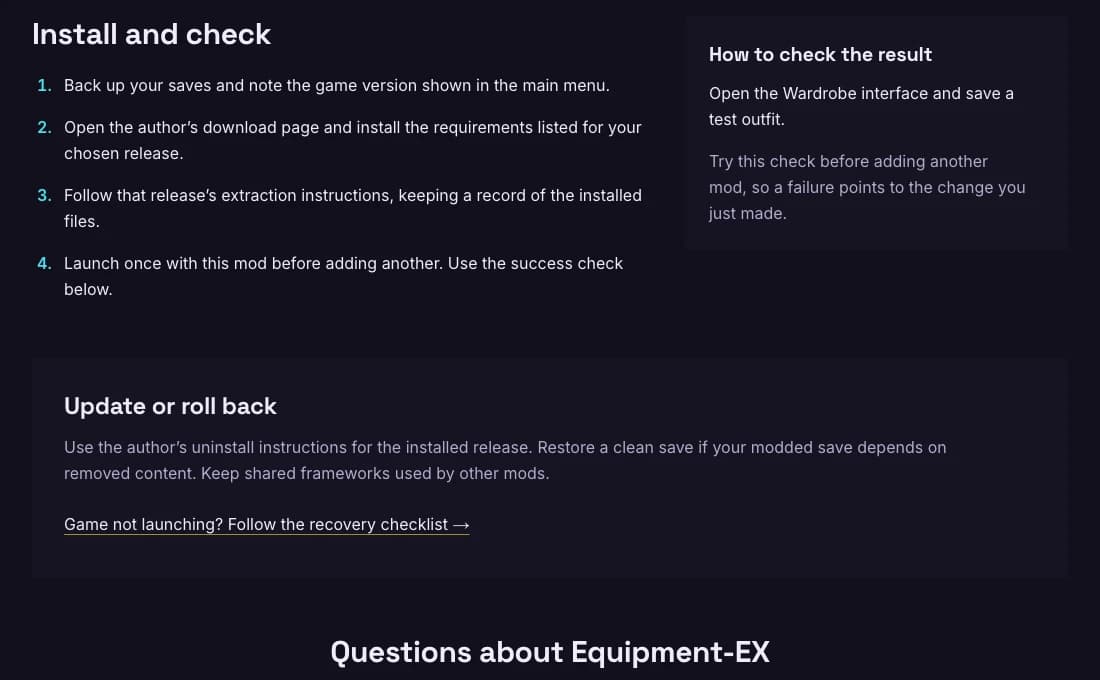
Find a mod
What do you want to change?
Cyberpunk mods to start with
Author sources, requirements and installation checks for each listing. Install frameworks only when your chosen mod needs them.
Cyber Engine Tweaks (CET)
Adds a Lua console and overlay used by CET-based mods. Install it when your selected mod requires CET.
Setup →ArchiveXL
Loads additional resources so custom assets can be added alongside original game content.
Setup →Ultra+
Offers lighting and path-tracing adjustments for players who want to tune Night City’s rendering.
Setup →Cyberware-EX
Expands cyberware slot options, including combinations of operating-system implants.
Setup →Equipment-EX
Adds a wardrobe interface for combining compatible clothing and managing saved outfits.
Setup →Let There Be Flight
Adds vehicle flight controls with several flight modes. Consult the author’s release notes before using it on a newer patch.
Setup →Night City Interactions
Adds drinking spots and partner outings, plus an Edgerunners location tour across Night City.
Setup →Borg Malorian Restored
Restores the Malorian 3516’s ricocheting hipfire and obstacle-piercing aimed shots.
Setup →Virtual Atelier
A framework for in-game clothing stores and item previews. Install a separate store and its items to populate the catalog.
Setup →Stash and Backpack Search
Adds text search to the stash and backpack menus so large inventories are easier to navigate.
Setup →
The frameworks behind most Cyberpunk mods
A mod page tells you which of these it needs. Installing one that no mod asks for only adds something to troubleshoot later.
| Framework | What it does | Listed mods that need it |
|---|---|---|
| Cyber Engine Tweaks (CET) | Adds a Lua console and overlay used by CET-based mods. Install it when your selected mod requires CET. | Ultra+, Native Settings UI |
| ArchiveXL | Loads additional resources so custom assets can be added alongside original game content. | Equipment-EX, Mod Settings, Virtual Atelier, Virtual Car Dealer |
| TweakXL | Enables data changes used by mods that add or alter items, stats and game behavior. | Cyberware-EX, Equipment-EX, Let There Be Flight, Virtual Car Dealer |
RED4ext, redscript and Codeware are also required by several mods. Their author documentation is linked from each mod page and from the compatibility checker.
A setup you can recover
Keep a clean save
Back up before changing game files or installing content.
Follow the requirements
Match the author’s release to your game patch and install its dependencies.
Test one change
Launch after each install so a new problem is easier to isolate.
Keeping Cyberpunk mods working after Update 2.5
After Update 2.5, check that RED4ext, redscript, CET, ArchiveXL, TweakXL and Codeware support your installed game version. The 2.5 compatibility table separates reviewed author statements from release dates and shows when each source was checked.
- Author lists 2.5The author’s documentation explicitly lists game version 2.5.
- Check releaseThe documentation does not name 2.5, so confirm the release you download.
- ExperimentalA project still in testing, such as a beta that needs tester access.
Guides and fixes
Step-by-step help for the first install, for comparing mods and for getting back to a working game.
Cyberpunk 2.5 Mods Not Working? Fixes by Error Message
The game crashes after Update 2.5, Vortex says it didn't find the expected AMM installation, ARP is not installed, or Virtual Atelier and the Mods menu are missing: what each one means and how to fix it.
Read guide →
How to Make Cyberpunk 2077 Mods With AI
Pick one small change, brief an AI assistant with the right docs, test it against the game’s logs and share it. A beginner route for CET Lua, TweakXL YAML and redscript.
Read guide →
CET: The Missing RED4ext Requirement
A reproducible source-review case showing how a missing CET prerequisite was identified and corrected in the directory.
Read guide →
Cyberpunk 2.5 Mod Compatibility: Author Support & Releases
Compare reviewed author support for Cyberpunk 2.5 with GitHub publication dates, per-project source dates and framework installation order.
Read guide →
Buy Clothes, Build an Outfit
Understand clothing assets, Virtual Atelier stores and Equipment-EX. Follow a PC shopping route, check the catalog and troubleshoot missing items.
Read guide →
Night City Immersion Mods
Build a small Cyberpunk 2077 immersion setup with mod.io releases. Compare everyday interactions, prerequisites and the first thing to check after installation.
Read guide →
Small PC Quality-of-Life Setup
Choose inventory search or visible-world waiting, install only the required PC frameworks, then confirm one change before adding another.
Read guide →A Minimal Equipment-EX Plan
Trace Equipment-EX's prerequisites, review their release evidence and separate a complete dependency plan from a tested wardrobe.
Read guide →Record a Reproducible Mod Test
The environment, exact releases, observations and evidence needed to publish a CyberpunkMods game test.
Read guide →
Best Cyberpunk Mods for Your Play Style
Compare Cyberpunk mods by purpose, dependencies and author support. Choose a framework, graphics preset, wardrobe tool, cyberware expansion or multiplayer test.
Read guide →
Fix Cyberpunk Mod Crashes
Diagnose Cyberpunk 2077 mod crashes after Patch 2.5. Isolate loaders, inspect logs and restore a working installation one change at a time.
Read guide →
Install Cyberpunk Mods on PC
Back up saves, check dependencies, place files correctly and test one mod at a time. Follow the author’s requirements for manual or Vortex installation.
Read guide →
Cyberpunk mods questions
Choose your platform and confirm the author’s current requirements before you download.
Do all Cyberpunk mods work on PS5 and Xbox?
No. Console players use the supported selection in the in-game mod.io catalog. Windows frameworks and arbitrary PC mod archives cannot be copied to a console.
Read the console guideWhere can I download Cyberpunk mods?
From the author’s own page: Nexus Mods or GitHub for PC mods, and the in-game catalog on console. This site does not host mod files; every listing links to where the author publishes them.
Are Cyberpunk mods safe to install?
Mods are third-party software, so download them only from the author’s page, back up your saves and add one mod at a time. If the game stops launching, the recovery checklist shows how to find the cause.
Follow the recovery checklistWhich mods should I install first?
Start with the change you care about most, then add only the frameworks that mod lists. Compare options by purpose and requirements rather than by popularity.
Compare mods by play styleDoes “Author lists 2.5” mean you tested it?
It means the linked author documentation explicitly lists that game version. It is not a claim that CyberpunkMods tested the mod in-game. Other listings ask you to confirm the selected release.
What if an update breaks my setup?
Keep a clean save, move suspect mod-added files aside and test a clean launch. Restore supported frameworks and mods one at a time.
Check your dependenciesIs there a Cyberpunk multiplayer mod?
CyberMP is a community multiplayer project, separate from the base game. Its launcher is limited to testers during public test phases.
See how access worksReady to pick your first mod?
Start with one change you can check, read its requirements and keep a clean save. The directory, the guides and the dependency checker are one click away.